
How to use the Dashboard
Seven stops, about three minutes. Less time than warming up the carb.
The Dashboard answers the questions you ask every time the car's itching to get out: Should it come out? Where's the show? Where's gas? Who can fix it if it quits? Work it top to bottom, like a pre-flight check. Just with more chrome.
1Tell us where you are
Everything on the Dashboard runs off one ZIP code: the forecast, the show miles, and the nearest pumps and shops. Get this wrong and you'll be told about a gas station in Bangor while you're idling in Braintree.
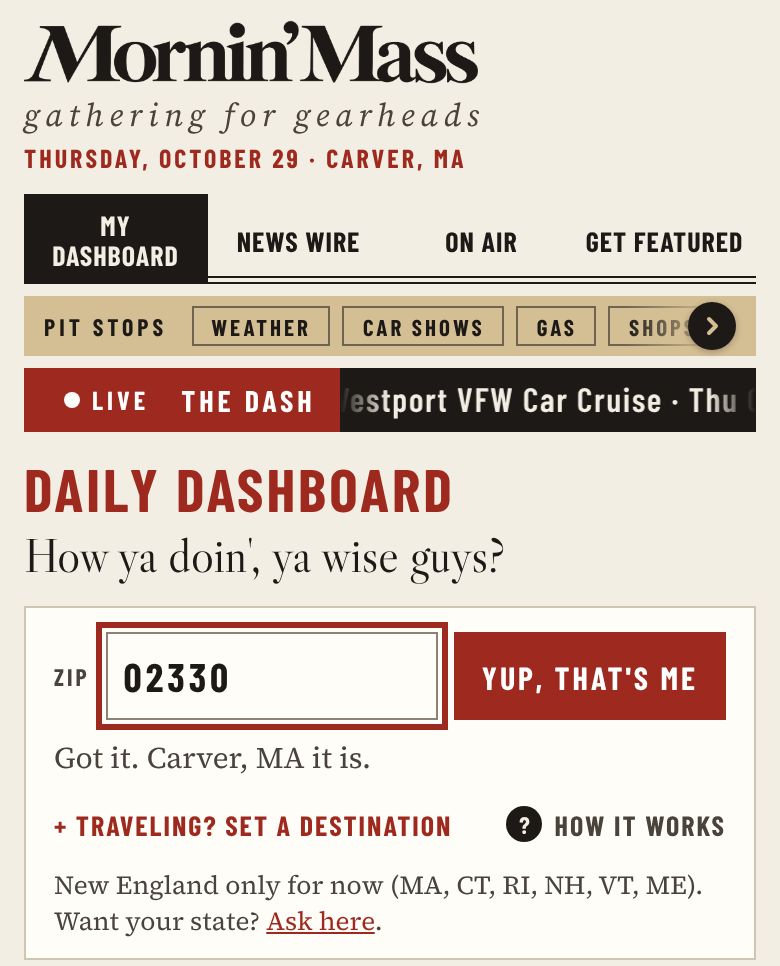
- Check the town it confirms. If it says the right town, you're set. Your phone remembers it for next time.
- Headed out of town? Leave your ZIP alone and tap + Traveling? Set a destination right under the box. Here's how.
- ? How it works, next to it, opens this guide. So does Dashboard: How It Works at the very bottom of the page.
- We cover New England for now: Mass., Connecticut, Rhode Island, New Hampshire, Vermont and Maine. Want your state next? Tap Ask here under the box.
- The Dash runs along the top. The red Live · The Dash ticker scrolls today's highlights: the weather call, the next shows near you with their miles, gas prices and the Mornin' Question. Tap it and you land on the weather. For car news and reels, tap the News Wire tab.
- The tabs up top are My Dashboard (this page), News Wire, On Air and Get Featured. Pit stops sits right under them: Weather, Let’s Go – Car Show, Gas, Shops Nearby and Sign Up. Tap one to jump straight there. On a phone, swipe it sideways or tap the little arrows for the rest.
- Your town rides up top. Scroll down and the header slims down and stays put: the date, your town, the tabs and Pit stops, one tap away from anywhere on the page.
+Traveling? Set a trip
Your home ZIP runs the Dashboard. When you're driving to a show, set a trip and the Dashboard lines up the backup plan around where you're going: the weather up there that day, the shows nearby, and the gas, parts and wrenches close by. Your ZIP stays on home. The forecast, the show miles and the gas and shop lists each get a Near home | Near the trip switch, so you pick what follows the trip (more on that). Two ways to set one:
From a show
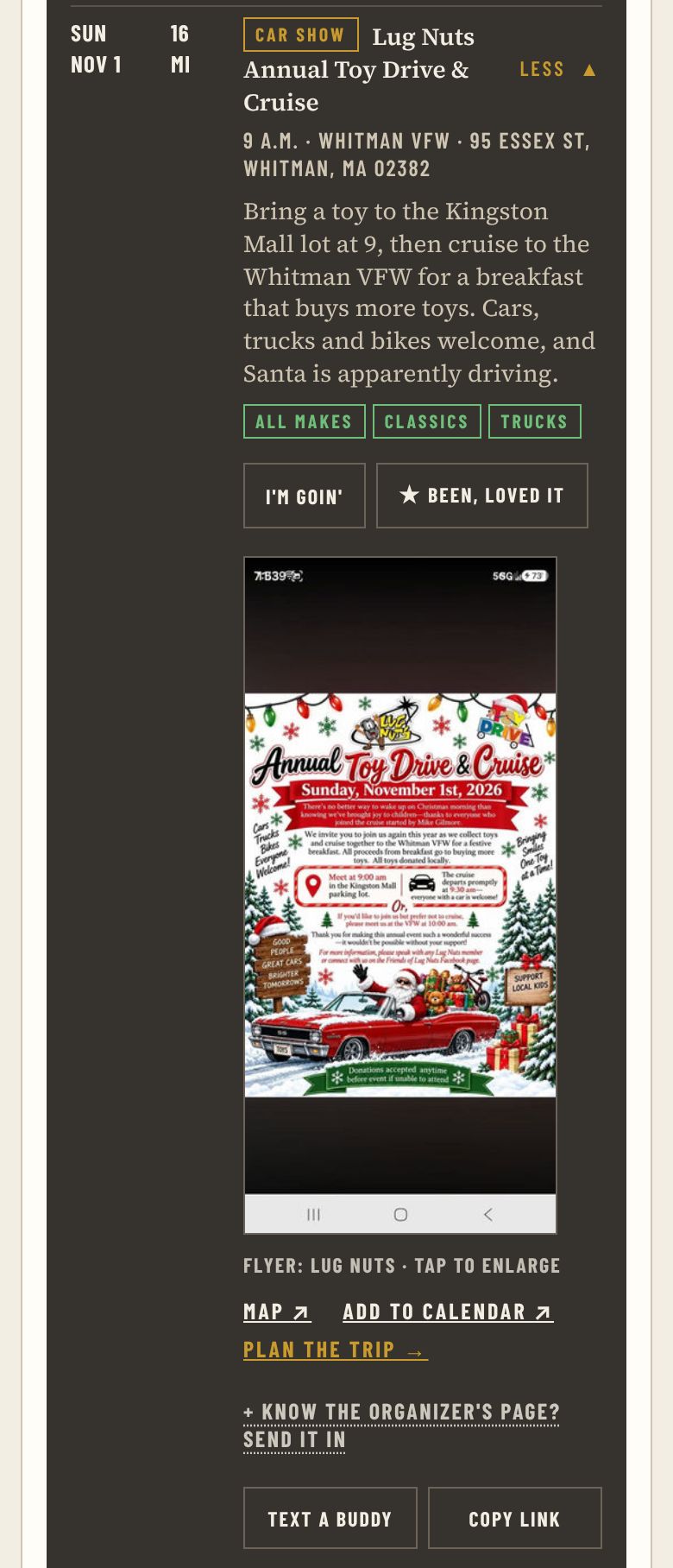
Open any show in the calendar and tap Plan the trip →. That's it. One tap.
By town or ZIP
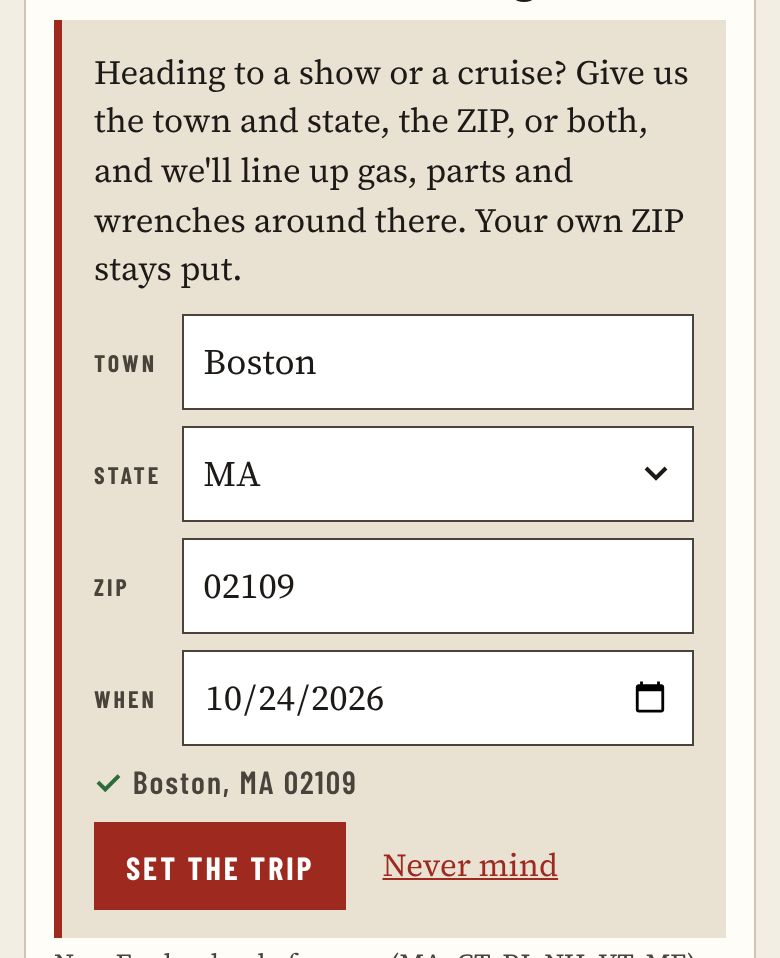
Going somewhere that isn't on the calendar? A cruise to the Cape, a parts run, a show we don't have yet. Tap + Traveling? Set a destination under the ZIP box, then give us whatever you've got:
- Just the ZIP. Punch it in and the town and state fill themselves in, with a green ✓ line under the boxes showing where we landed.
- Town and state. Type the town and pick the state (Mass. is already picked). We find the ZIP when you tap Set the trip. Big towns have a handful of ZIPs; we use the main one. Can't find it? Check the spelling or punch in the ZIP.
Pick the day and tap Set the trip.
Your trip card
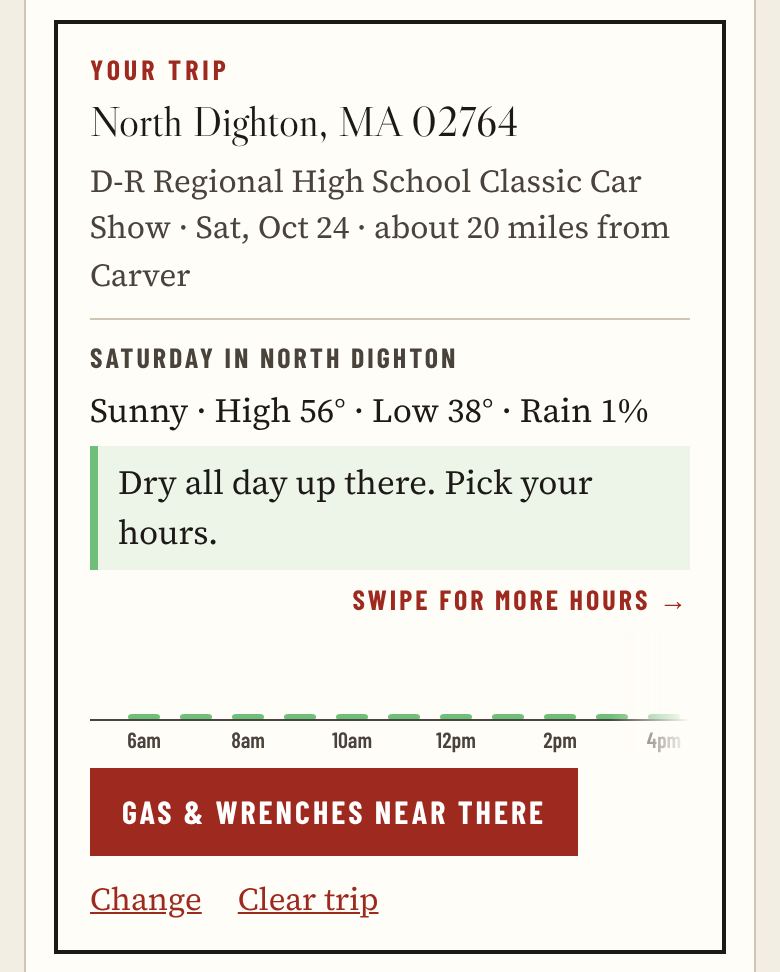
Either way, a Your trip card shows up under the ZIP box:
- Where you're headed, the show and day, and how far it is from home.
- That day's weather up there: high, low, rain chance and a plain-English call, plus the hour-by-hour rain chart. Swipe it sideways for the later hours.
- Gas & wrenches near there jumps you down to the lists, already lined up around the trip.
- Change to pick a different place or day, Clear trip when you're done. A trip clears itself after the day anyway.
Near home or near the trip
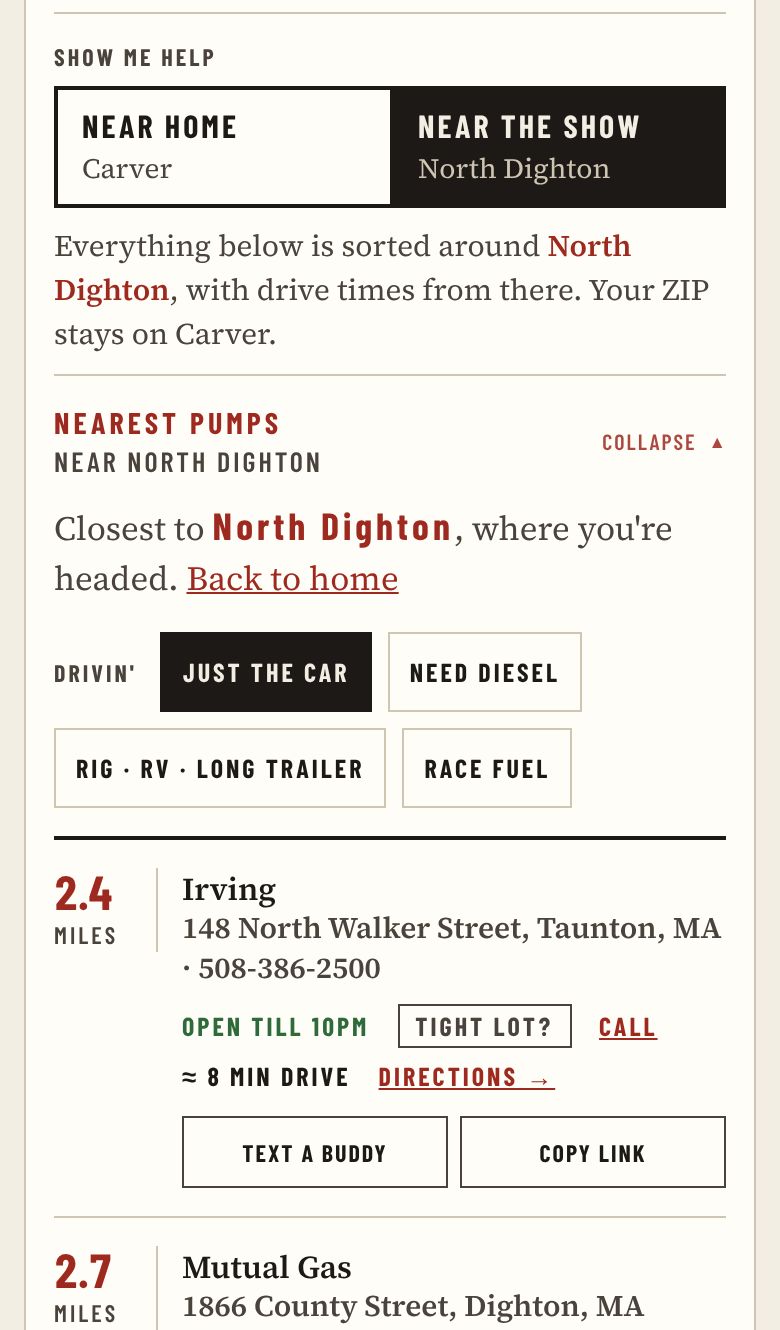
Down in Feeding the beast, a switch labeled Show me help sits over the lists. Near the trip (it says Near the show when the trip is a show) sorts the pumps, parts stores, mechanics, speed shops and body shops around where you're headed, with drive times from there. Near home puts them back. Flip it as often as you like.
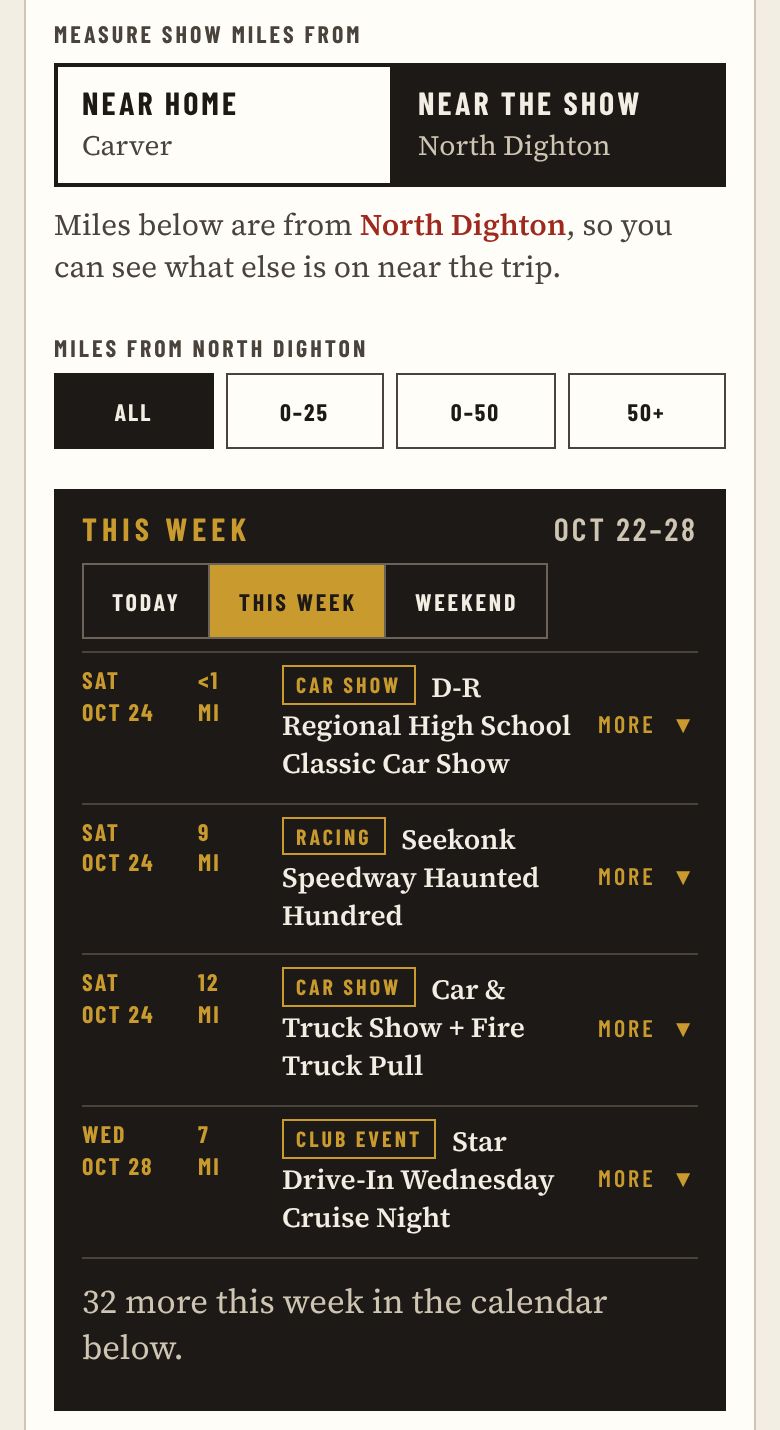
The same switch sits in the Let’s Go – Car Show calendar, labeled Measure show miles from, right under “Call before you roll.” Flip it to the trip and every show's miles are measured from where you're headed, so you can see what else is on up there that week. The 0–25, 0–50 and 50+ buttons count from there too. The calendar and gas switches move together: flip one and the other follows.
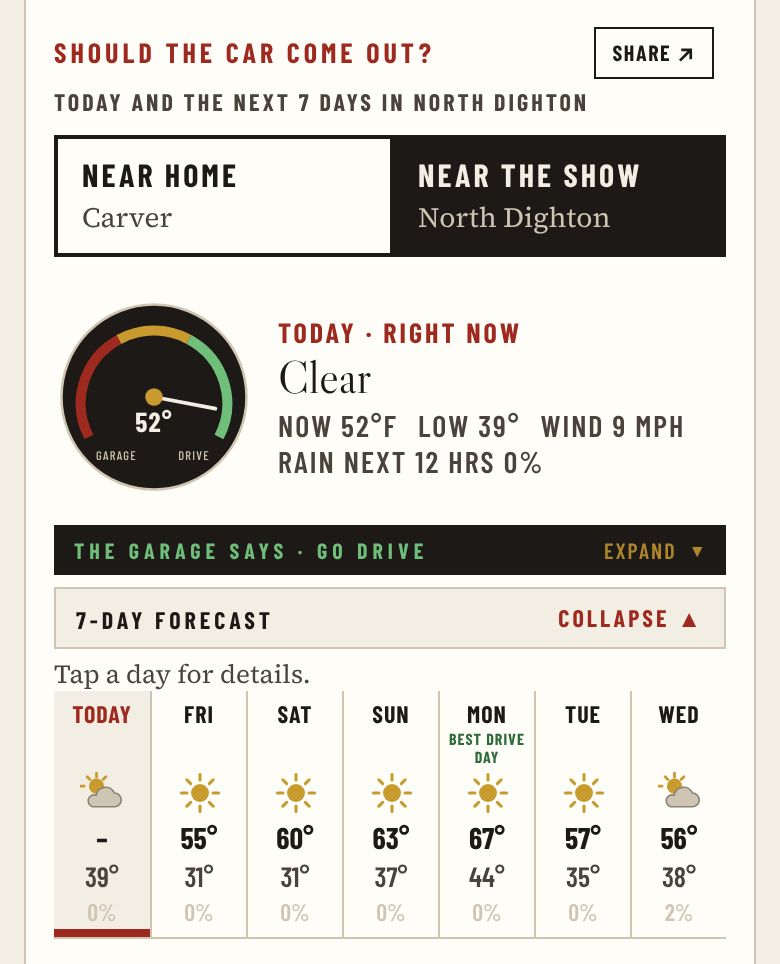
The forecast box, Should the car come out?, gets its own switch too. Flip it to the trip and the gauge, the 7-day forecast and the hourly chart show the weather up there instead of at home. This one works on its own: the gas and calendar switches don't move it, and it doesn't move them.
Set it before you leave, not on the shoulder with one bar of signal.
2Should the car come out?
The gauge gives you the short answer for right now, from Garage to Drive, with the temperature, wind and rain for the next 12 hours beside it. The garage says bar under it gives you the verdict; tap Expand for the full take.
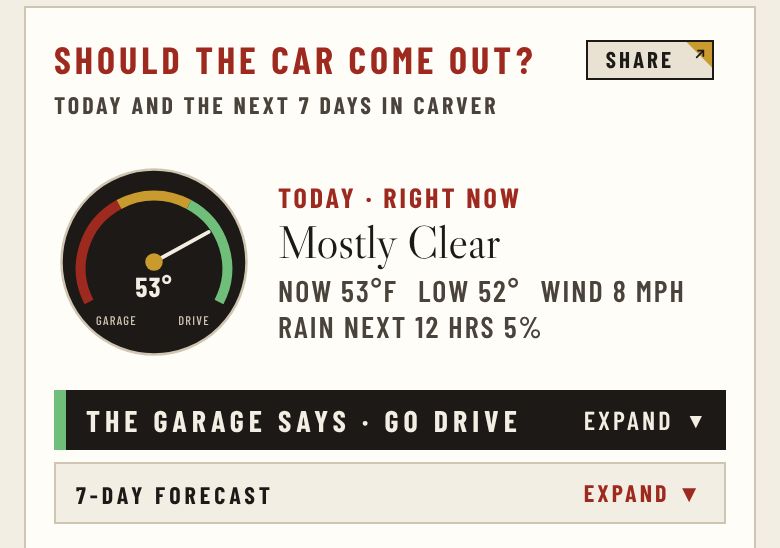
The week folds up so the page stays short. Tap 7-day forecast to open it: each day's sky, high, low and chance of rain, with the Best drive day marked.
Tap any day and the Rain or shine chart below shows that day hour by hour: chance of rain or snow and the temperature, with a plain-English call on top. This is the one that matters before a cruise.
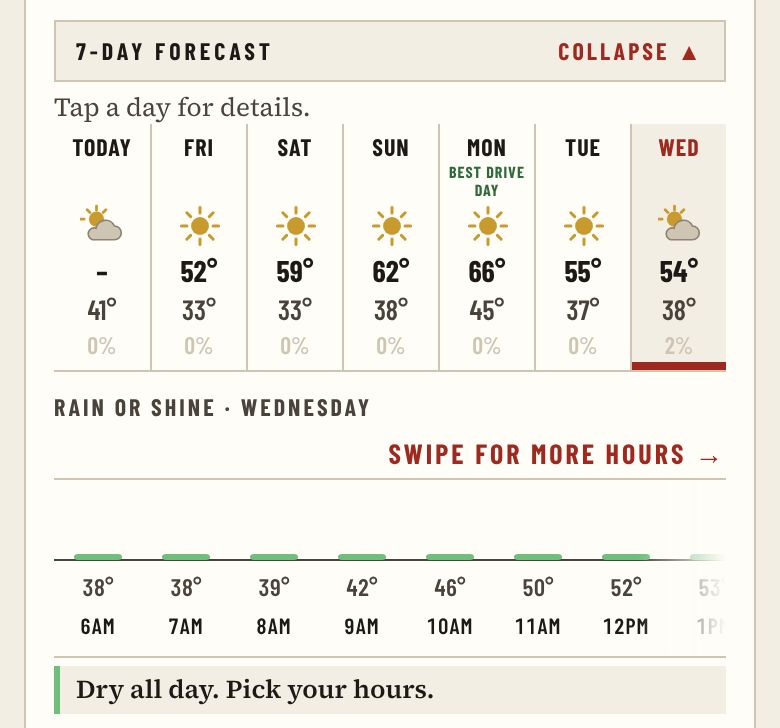
- Green bars: dry. Go.
- Amber (25% and up): iffy. Bring a towel and a plan.
- Red (50% and up): wet road. That fresh wax job says stay home.
- Shaded hours are after dark. When the day runs past the screen, a Swipe for more hours → line shows up; swipe the chart sideways for the rest.
Set a trip? A Near home | Near the trip switch shows up over the gauge. Flip it to see the sky where you're headed (more on that).
3Pick your destination: Let’s Go – Car Show
Right under the weather. Every show and cruise night is listed with how far it is from your ZIP. Set a trip and you can measure from there instead (here's how).
- Today, This week or Weekend. The dark box on top shows what's comin' up. Tap a tab to change the window. Plenty of good shows land on a Tuesday, so don't sleep on the weekdays.
- Miles from your ZIP: tap 0–25 for a short hop, 0–50 for a real drive, or 50+ if you're making a day of it.
- The full calendar runs under the box. Tap More on the calendar at the bottom for everything further out.
- Holiday heads-ups ride along in the calendar too. A Traffic tag means a big travel day is comin'; Buy a gift means a holiday you'd better not forget. Consider yourself warned.
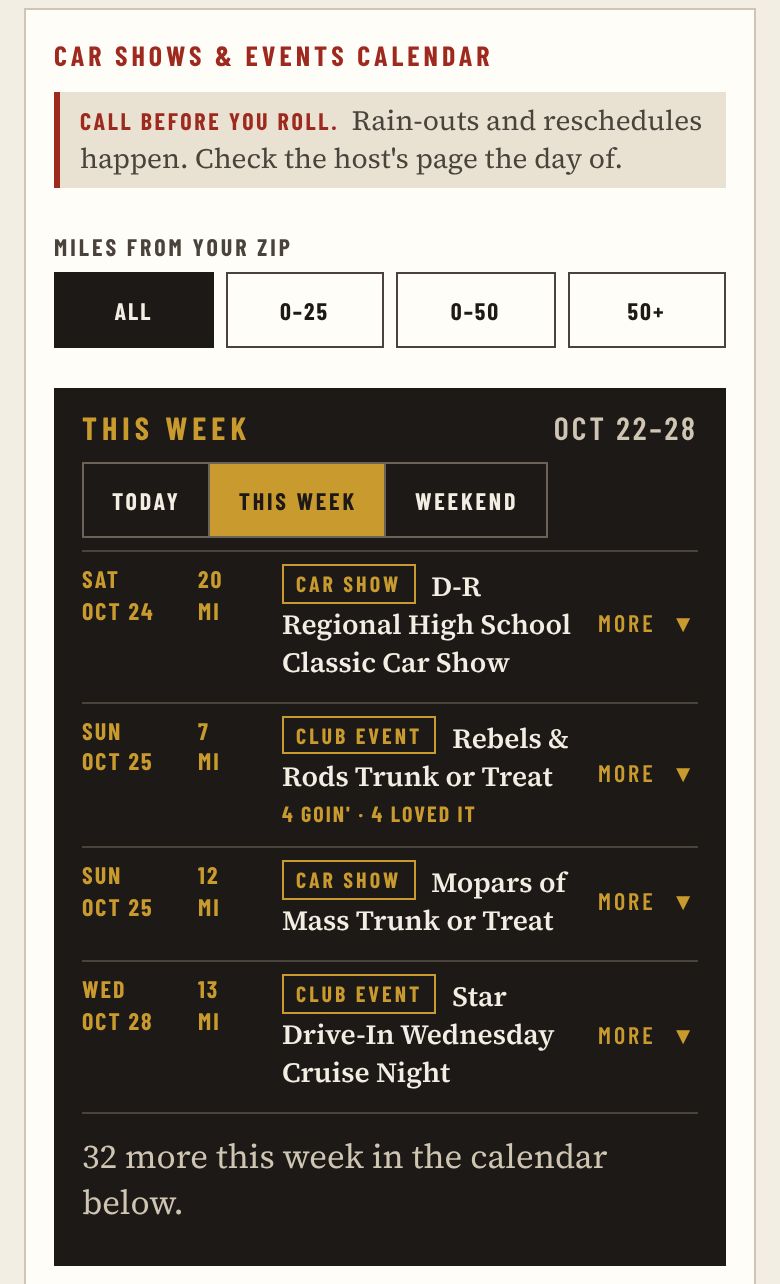
Tap More on any show to open it up:
- Time, place and the full address, with a short rundown of the show.
- I'm goin' and ★ Been, loved it. Tap yours. The counts show how many others did the same, so you know where the crowd's headed and which shows people actually rave about.
- Map and Add to calendar, so you don't miss it.
- Plan the trip → makes that show your destination in one tap: the forecast there on show day, plus gas and wrenches near the show (more on trips).
- Organizer's page ↗ opens the host's own website or Facebook page (on a few shows it reads Details & rain-outs ↗). Check it the day of; that's where rain dates and cancellations show up first.
- The flyer, when we have one, sits right in the show. Tap it to see it full size.
- No organizer's page or flyer yet? You'll see + Know the organizer's page? Send it in or + Have a flyer for this one? Send it in. Paste the link or pick the photo, and we'll check it before it goes up.
- Text a buddy or Copy link to recruit a co-pilot.
Want to add a show?
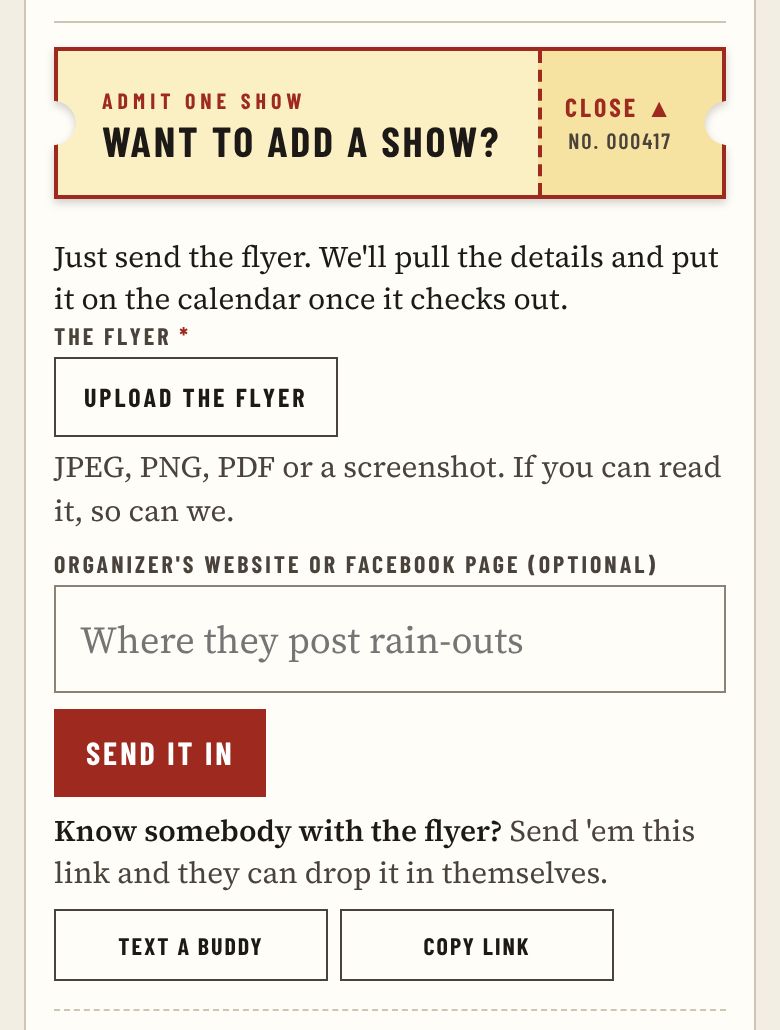
Under the calendar there's a ticket that reads Admit One Show · Want to add a show? Tap Send it on the stub to open it. All we need is the flyer:
- Upload the flyer. A JPEG, PNG, PDF or a screenshot. If you can read it, so can we.
- Organizer's website or Facebook page is optional, but it's where they post rain-outs, so toss it in if you have it.
- Tap Send it in. We pull the details and put it on the calendar once it checks out.
- Somebody else has the flyer? Tap Text a buddy or Copy link and send them the link, so they can drop it in themselves.
Call before you roll. Shows get rained out, pushed back or scrapped. We're a calendar, not a crystal ball. Been to a good one? Tap Send your story in the Get Featured box down there.
?The Mornin' Question
Right under the calendar, a new car question every day, four answers to pick from. Tap yours and it locks in. The answer drops tomorrow mornin'.
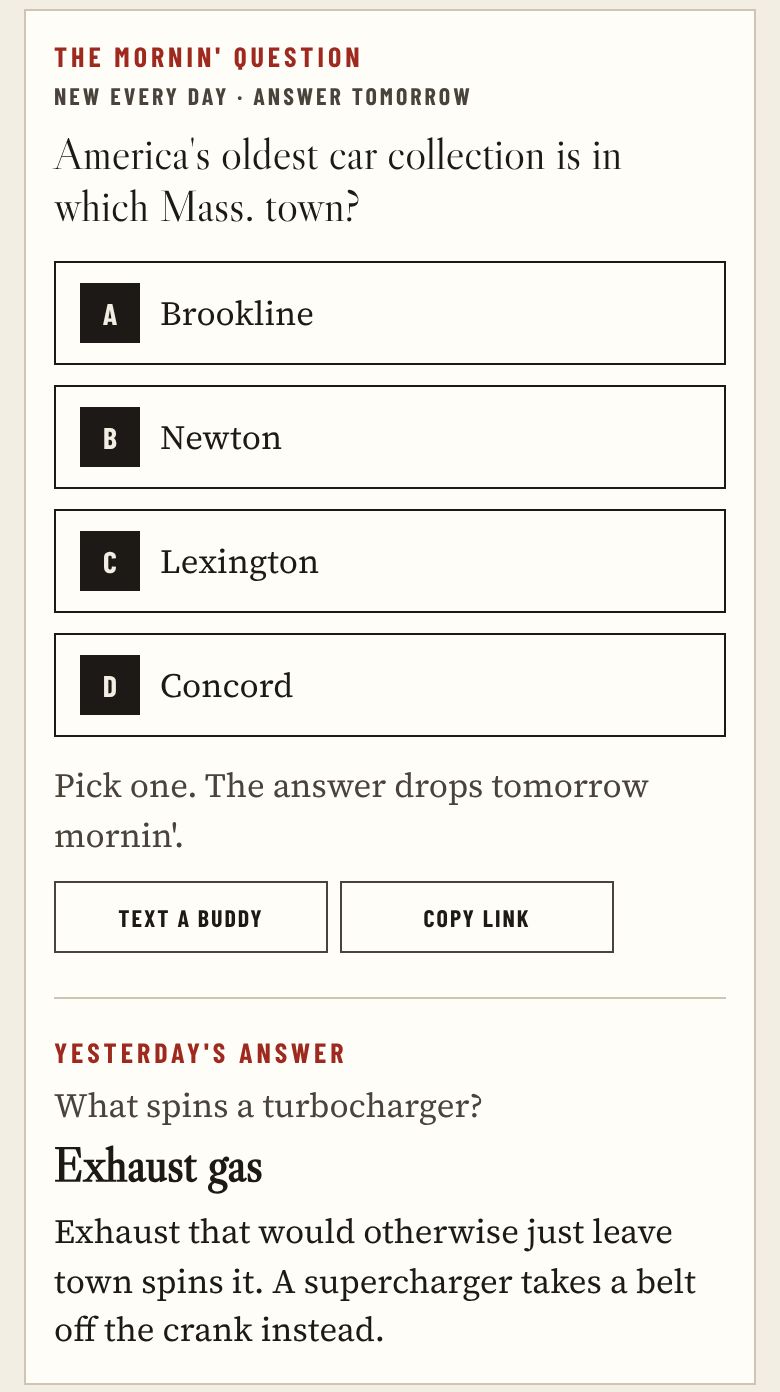
- Come back tomorrow and Yesterday's answer sits under today's: the right one, whether you nailed it, and the story behind it. Once enough people vote, you'll see how everybody else picked.
- Text a buddy or Copy link sends today's question to the guy who thinks he knows everything.
!How are we doin'?
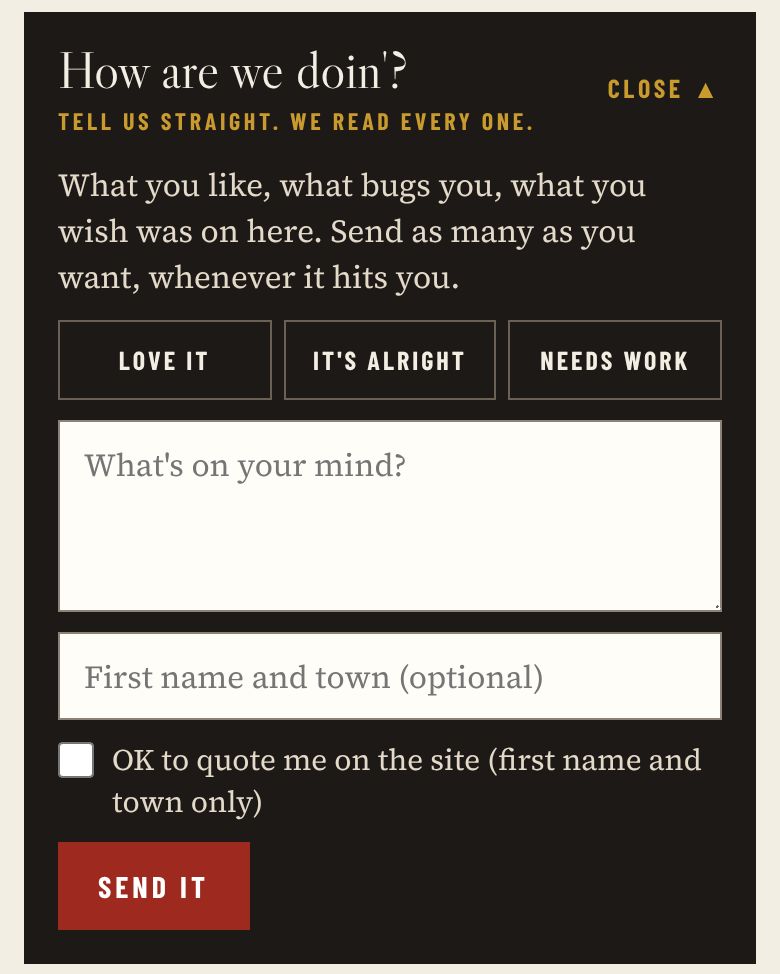
Right under the Mornin' Question sits a dark bar: How are we doin'? Tell us straight. We read every one. Tap it open and tell us what you like, what bugs you, or what you wish was on here. Send as many as you want, whenever it hits you.
- Pick one: Love it, It's alright or Needs work.
- Type what's on your mind. Your first name and town are optional.
- Check OK to quote me on the site if you don't mind us sharing it. We only ever use your first name and town.
- Tap Send it. Close ▲ folds it back up.
4Gas, parts and wrenches: the backup plan
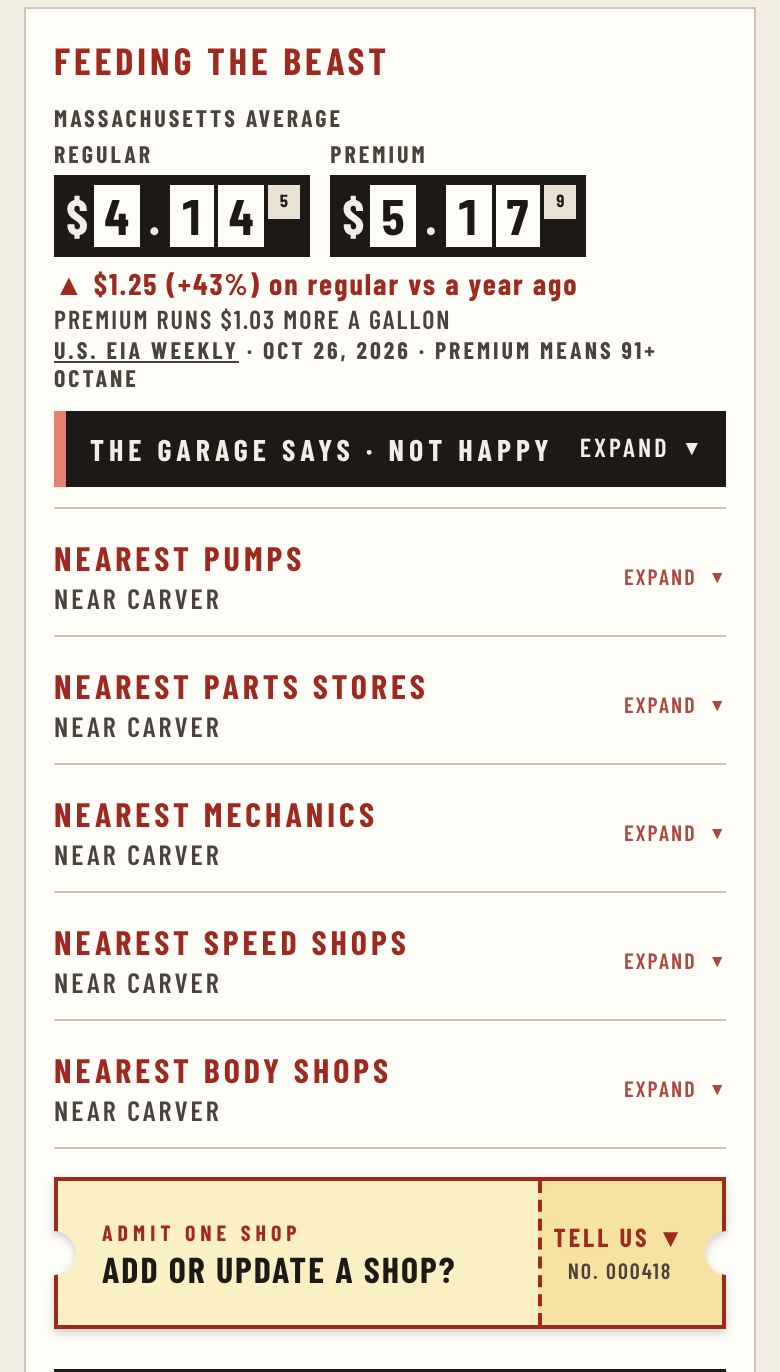
Feeding the beast starts with your state's average for regular and premium, then the stuff you hope you won't need: the nearest pumps, parts stores, mechanics, speed shops and body shops. Each one stays closed until you tap Expand. Set a trip? The Show me help switch on top flips them all to where you're headed (more on that).
Pumps
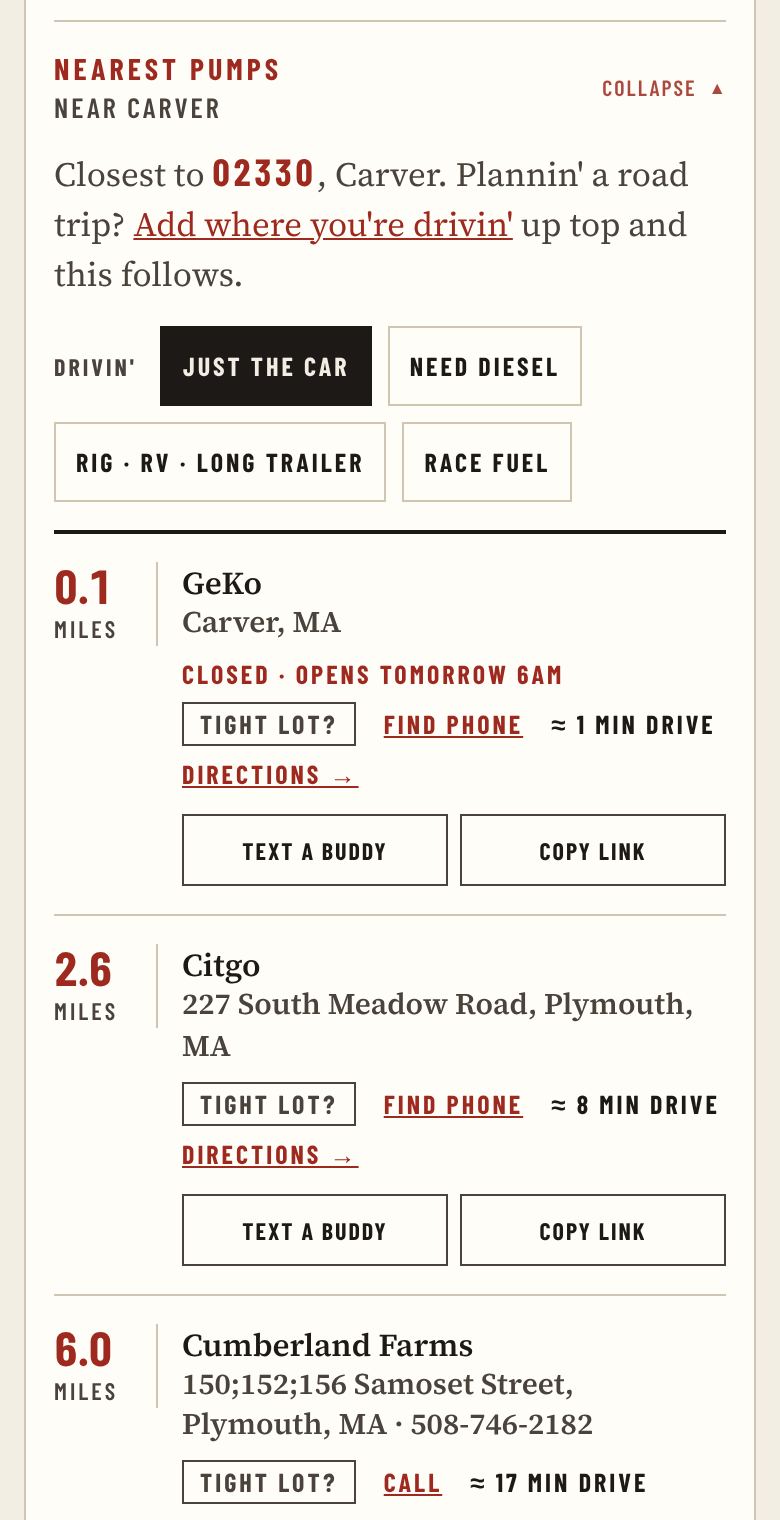
Pick what you're running and the list filters itself:
- Just the car for a normal fill-up.
- Need diesel for the oil burners.
- Rig · RV · long trailer for stations with truck lanes or real room to swing in. Everything else, assume the lot's tight.
- Race fuel for spots within 50 miles that readers sent in and we checked. Call ahead; drums sell out.
Know a pump, or a shop that sells race fuel by the drum or pail? With Race fuel picked, tap Know where to get race fuel? Send it in. (or Send a race fuel tip) and tell us where, what they carry and how it's sold. We check every tip before it goes up.
Parts, mechanics, speed and body shops
Same drill. Expand it, then use the buttons to narrow the list:
- Parts stores: any store, open now, or NAPA, the local guys and the yards (better odds on points and carb kits than the big chains).
- Mechanics: open now, alternator & radiator, rebuilds, or classic & restoration.
- Speed shops: Dyno on site or Carb tuning, for when you want proof the cam swap did something.
- Body shops: open now or classic & restoration.
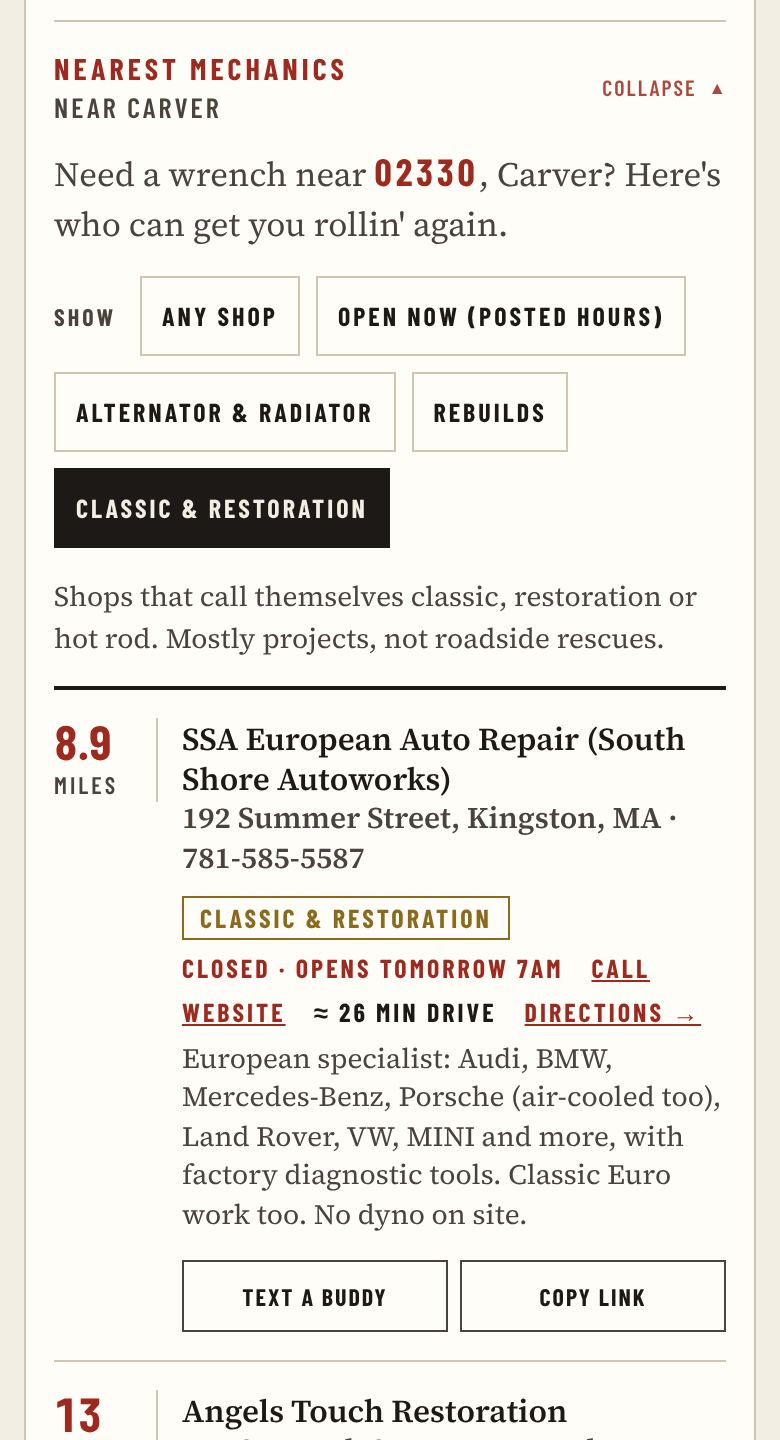
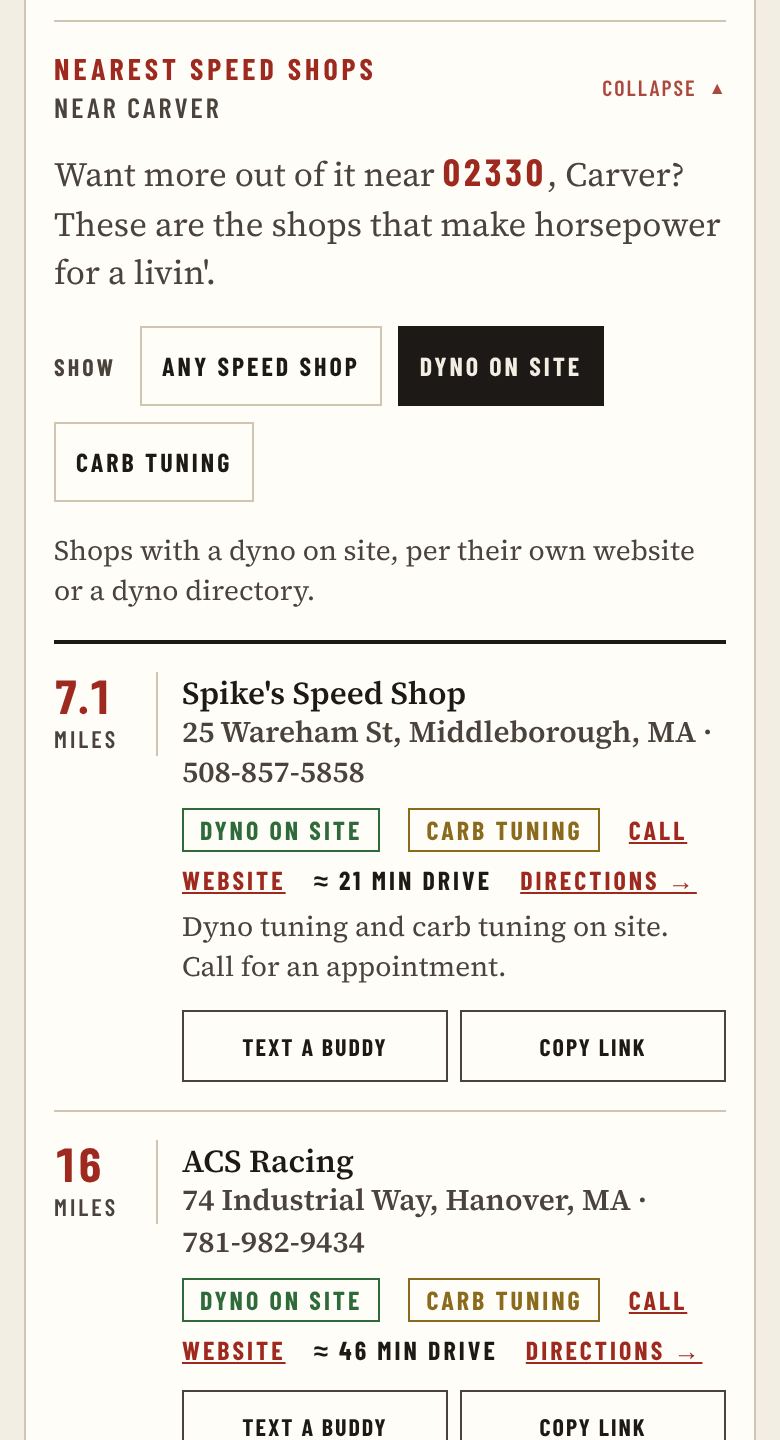
Every listing has Call, Website and Directions (tap that one for live traffic), plus Text a buddy so you can send your brother-in-law the address of the shop he swore he'd never go back to. Shops don't always list everything they do, so call before you tow it over.
Add or update a shop
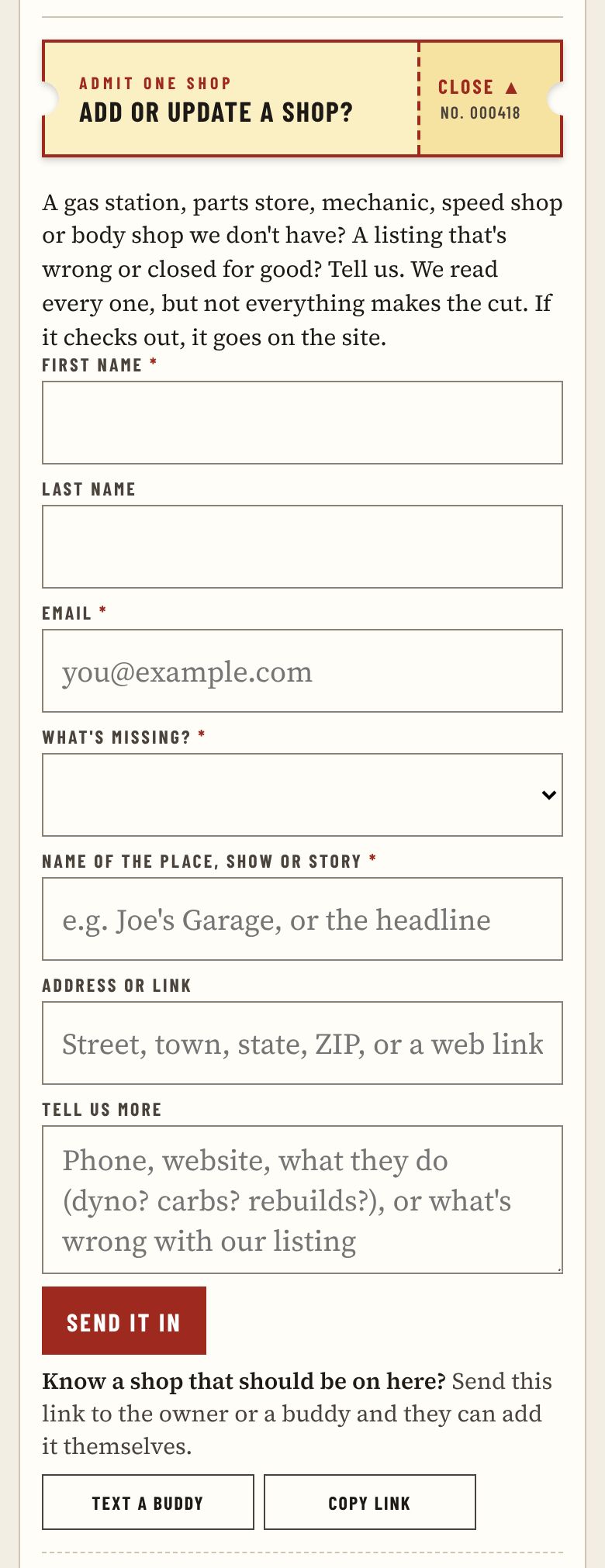
Under the lists there's a ticket that reads Admit One Shop · Add or update a shop? Tap Tell us on the stub to open it. A gas station, parts store, mechanic, speed shop or body shop we don't have, or a listing that's wrong or closed for good:
- First name and email are the must-haves. Last name is up to you.
- Pick What's missing? from the list, then the name of the place.
- Add an address or link, and under Tell us more the phone, website and what they do (dyno? carbs? rebuilds?), or what's wrong with our listing.
- Tap Send it in. We read every one, and if it checks out, it goes on the site.
- Know a shop that should be on here? Tap Text a buddy or Copy link and send the link to the owner or a buddy so they can add it themselves.
Know one that deserves more than a listing? Tap Nominate one in the Get Featured box under the lists, and we may tell their story.
5Get it in your inbox
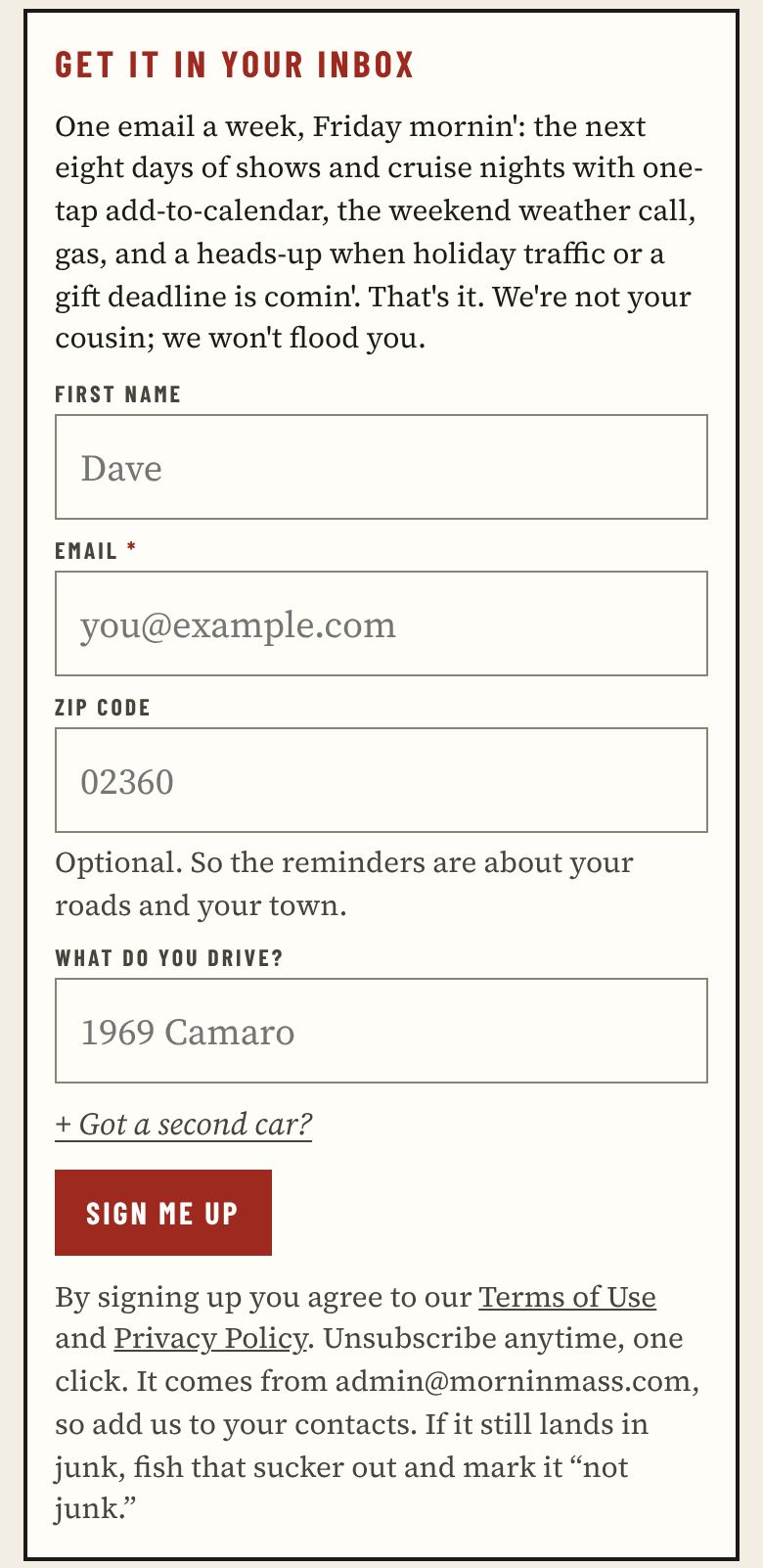
One email a week, Friday mornin': the next eight days of shows and cruise nights with one-tap add-to-calendar, the weekend weather call, gas, and a heads-up when holiday traffic or a gift deadline is comin'. That's it. We won't flood you.
- Email is the only thing we need. A first name gets you a proper “Mornin', Dave.”
- ZIP code is optional, so the reminders are about your roads and your town.
- What do you drive? Tell us. Got more than one? Tap + Got a second car?, then + And a third?
- The quick Get this every Friday box also pops up under the ZIP once you've put yours in. Same email, fewer boxes. Tap No thanks and it leaves you alone.
- Signed up? A Sign up another email button shows up, so you can add your buddy or your other inbox.
- It comes from admin@morninmass.com, so add us to your contacts. If it still lands in junk, fish that sucker out and mark it “not junk.” Unsubscribe anytime, one click.
Then go drive
ZIP in. Check the sky. Pick a show. Know where the gas and the wrenches are. That's the whole ritual.
Come back tomorrow. A Since yesterday line up top tells you what changed while you were gone: new shows near you, gas up or down, and yesterday's answer. Tap the × to clear it.